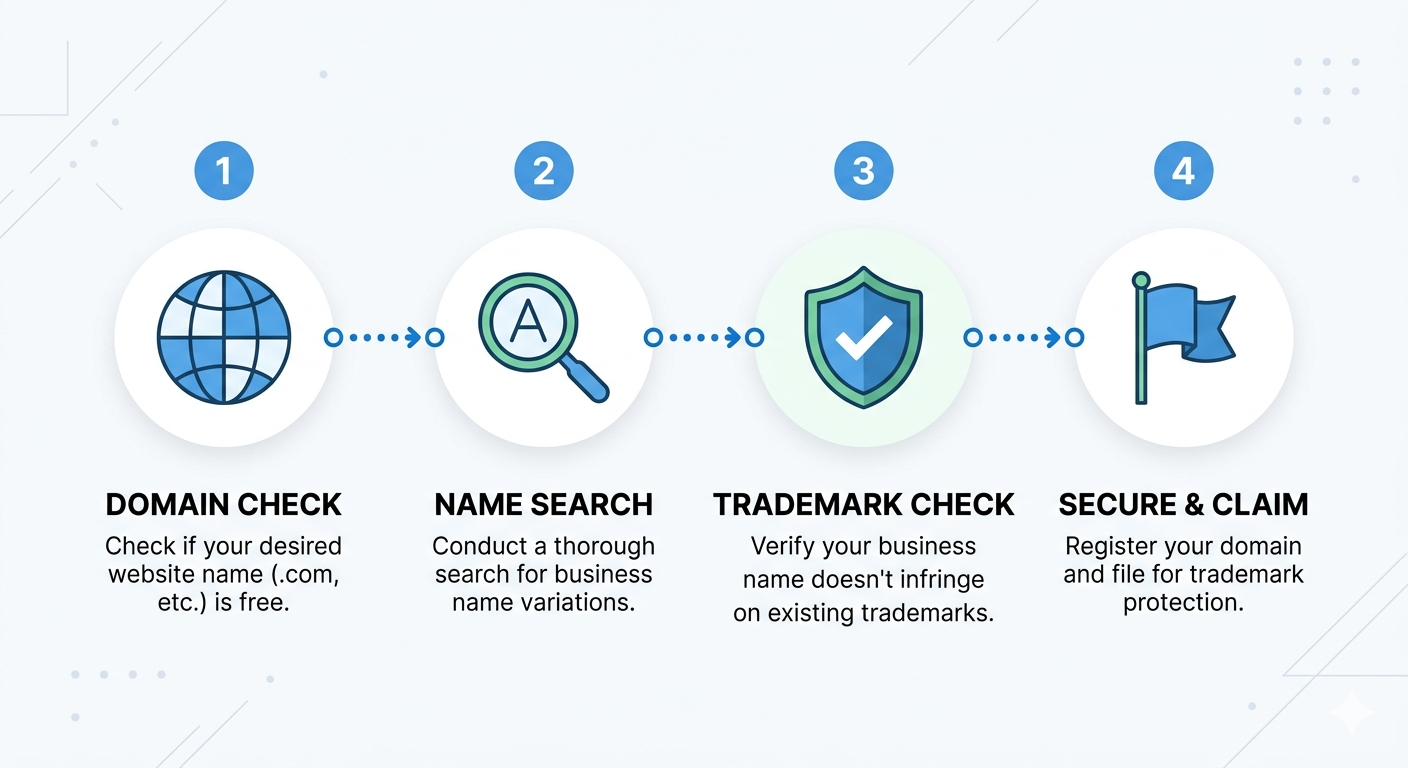
How to Check Domain Availability & Trademarks
Before you commit to a business name, two checks are non-negotiable: domain availability and trademark clearance. They answer different questions, require different tools, and both carry real consequences if you skip them.
Domain availability tells you whether you can build a website at the address you want. Trademark clearance tells you whether you have the legal right to use the name commercially. A name can pass one check and fail the other, or pass both and still have problems. This guide walks through how to do each properly.
If you want to generate AI-tailored name ideas with domain and trademark checks already built in, Name my business for $9 →
Domain availability vs trademark availability — what's the difference?
These are completely separate systems, governed by different rules, checked through different tools, and carrying different consequences.
Domain availability
A domain name (e.g. yourbusiness.com) is a unique web address registered through a domain registrar. If it's not currently registered, anyone can purchase it, typically for $8–15/year for a standard .com. If it's registered, the current owner holds it and you can't use it unless they sell or let it expire. Domain registration is first-come, first-served and has nothing to do with legal ownership of the underlying name.
Trademark availability
A trademark is a legal protection for a name, logo, or phrase used in commerce to identify a specific business or product. Trademarks are registered by jurisdiction (USPTO for the US, EUIPO for the EU) and by industry category (called Nice classifications). If someone holds a trademark on a name in your industry and country, using that name commercially creates legal exposure — even if the domain is available and you registered it first.
The key insight: these systems don't talk to each other. You must check both, independently, before committing to a name.
How to check domain availability
Domain availability checks are straightforward. Here's the process and what to look for.
Step 1: Check the .com first
Go to a domain registrar: Porkbun, Namecheap, and GoDaddy all have free search tools. Enter your business name with .com and look at the result. If it shows a standard registration price ($8–15/year), it's available. If it shows a premium price ($500+) or "make an offer," it's held by a reseller. If it shows as unavailable with no purchase option, it's actively registered.
Step 2: Check alternative TLDs if the .com is taken
A taken .com doesn't end the name. Check .net as a general alternative. For tech businesses, .ai and .io are widely accepted. For retail, .shop works well. For food businesses, .coffee, .bar, or .restaurant carry genuine meaning. For creative businesses, .design or .studio are credible alternatives. The right alternative TLD for your industry can be more distinctive than a generic .com variant.
Step 3: Check your country TLD if you're building locally
For businesses serving a specific country, the local TLD (.co.uk, .com.au, .de, .fr, etc.) carries significant trust with local audiences and performs well in local search. Check both the .com and your country TLD independently — availability differs between them.
Step 4: Register immediately if available
Domain squatters monitor search activity. If you search a domain without registering and come back the next day, it may be gone — registered by an automated system that detected the search interest. Once you find an available domain you want, register it before you continue evaluating. At $10–15/year, it's a negligible cost to hold while you complete your trademark research.
How to check trademark availability
Trademark searches are more nuanced than domain checks. Here's how to do an initial search and what to look for.
USPTO, for US businesses
Go to tmsearch.uspto.gov and search for your business name. Filter for "live" registrations (not dead/abandoned). Look at the Nice classification — trademarks are registered by industry category, so a match in a completely different industry may not block you, but a match in your category is a serious conflict. Search for exact matches and similar-sounding names.
EUIPO, for EU businesses
Go to euipo.europa.eu/eSearch and search by trademark name. EUIPO covers EU-wide trademark protection. Even if you're based in one EU country, a trademark registered at EUIPO level applies across all member states. Search for your name and close variants.
What to look for in results
A clean search result (no live registrations matching your name in your industry) is a good sign, not a guarantee. Trademark law also covers names that are "confusingly similar," not just exact matches. A registered trademark for "Bluehive" could potentially conflict with "Blue Hive" or "Bluhive." This is where the judgment of a trademark attorney becomes important.
When to involve a trademark attorney
Before filing a trademark application, before investing significantly in brand materials, and whenever your search returns results that might conflict. An attorney can give a clearance opinion, assess likelihood of confusion, and advise on how to structure your application. The cost of a clearance opinion is small compared to the cost of a rebrand after a cease-and-desist.
Do both checks at once, before you get attached to a name
The most common mistake founders make is running these checks sequentially, after they've already formed emotional attachment to a name. You spend a week saying the name out loud, designing a logo in your head, and telling friends, and then discover the .com is a $3,000 premium domain or there's a live trademark in your category.
A better workflow is to check domain and trademark availability as part of the name generation process, before you form any attachment. That way you only evaluate names that are actually available.
Namedrop is built around this workflow. When you describe your business and generate names, every result includes live domain availability across .com, .net, and industry-relevant TLDs, plus an automatic USPTO trademark check with conflict status shown for every name, and a direct EUIPO search link.
You see the full picture for each name in one view, before you decide. No tab-switching, no manual lookups, no attachment to names you can't use.
Frequently asked questions
What is the difference between domain availability and trademark availability?
Domain availability means the web address (e.g. yourbusiness.com) is not currently registered by anyone and can be purchased. Trademark availability means the name is not registered as a trademark in your industry or jurisdiction. A domain can be available while the name is trademarked, and vice versa. You need to check both separately.
How do I check if a domain name is available?
Search for the domain on a registrar like Porkbun, Namecheap, or GoDaddy. If it shows as available with a purchase price, it can be registered. If it shows as taken, the current owner holds the registration. Tools like Namedrop check domain availability across multiple extensions simultaneously when generating name ideas.
How do I search for trademarks on USPTO?
Go to tmsearch.uspto.gov and search for your business name. Look for live registrations in your industry's Nice classification. A result in a completely different industry may not block you, but a result in your category is a serious conflict. Always consult a trademark attorney before drawing conclusions from your search.
Can I use a name if the .com is taken but the trademark is clear?
Possibly. If the .com is taken but a suitable alternative domain is available (.net, a relevant TLD like .shop or .ai, or a country TLD), many businesses operate successfully without the exact .com. The trademark question is more important legally — a clear trademark with an alternative domain is often better than a free .com with trademark risk.
Do I need a lawyer to check trademarks?
You can run initial searches on USPTO and EUIPO yourself for free. However, trademark searches have nuance — similar-sounding names, partial matches, and industry classifications all matter. Before filing a trademark application or making a significant commercial investment in a name, consulting a trademark attorney is strongly recommended.
Ready to name your business?
10 AI-generated names with domain availability, social handle checks, and USPTO trademark status. One-time $9.
Name my business →